Automating Logistics Operations with GenAI, Agents, and MCP
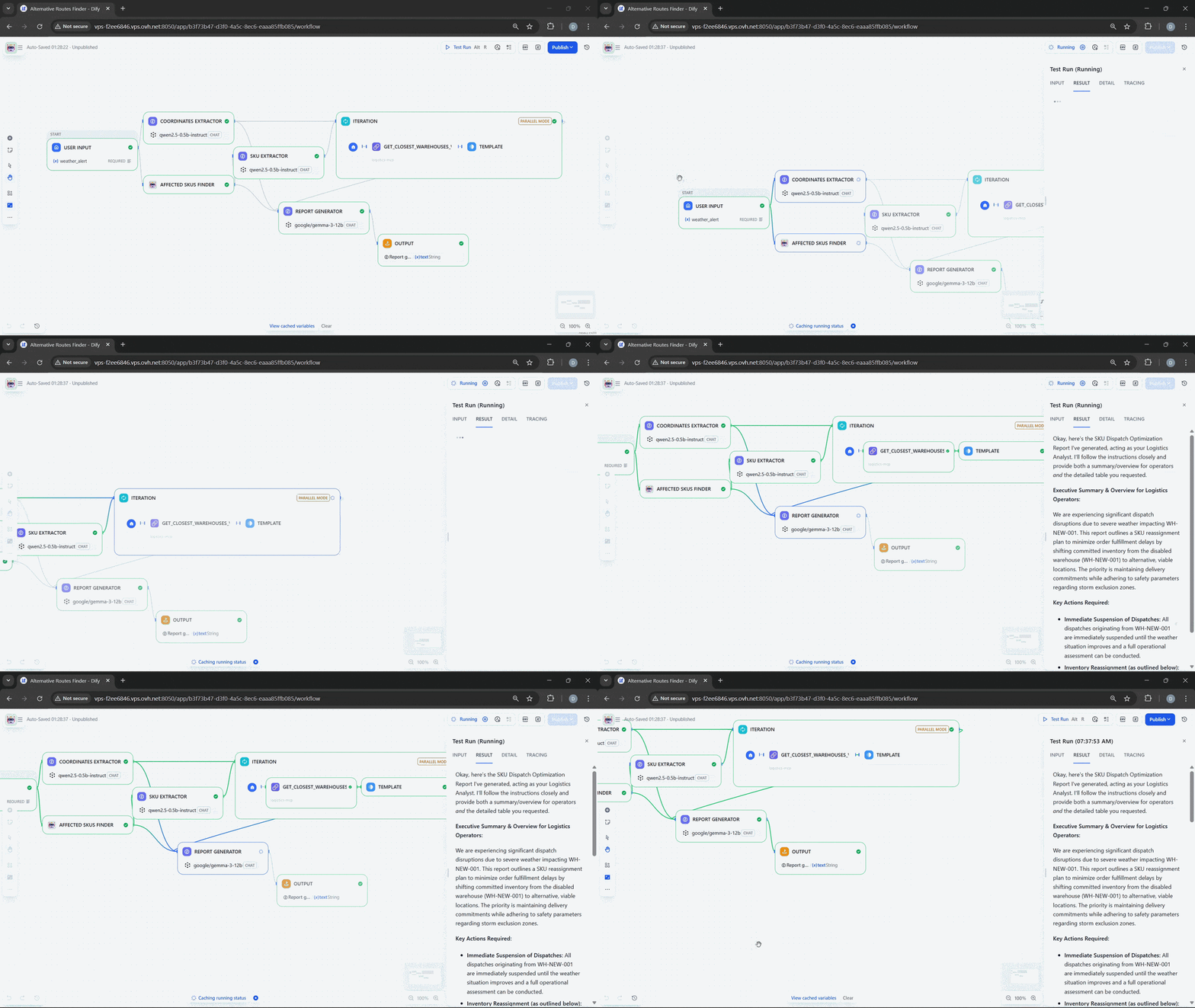
April 14, 2026Today, I am developing a multi-agent workflow for automating logistics operations and orchestrating them with Dify. I will be using a combination of Python scripts, REST API backend services, MCP tools, and local models to create a workflow that orchestrates all these components and is triggered every time a weather alert occurs near one of the warehouses I own. I'll be running my agents and workflow on a modest computer with no GPU, 32GB RAM, and 8 CPU cores.
- Problem Statement
- Weather Alert
- Workflow: Alternative Route Finder
- Observations on Sub-agents
- Sub-agents should be loosely coupled
- One agent should be best at one task and one task only
- It's nice if a powerful LLM judges the output of a less powerful agent
- Sub-agent: Affected SKU Finder
- Sub-agents: Affected Warehouse and Committed SKUs Finders
- Report Generator
- Results
Problem Statement
Imagine we are operating a logistics company that works worldwide, with warehouses on all continents. Each warehouse has a set of stock keeping units (SKUs) that are continuously dispatched to customers. Due to severe weather conditions, we must automatically reassign SKU dispatching: halt any committed orders from all warehouses within the affected radius, select the closest warehouses that have the committed SKUs, and send an alert to the operator.
Each warehouse has a way to push telemetry data, so we can instantly know what SKUs are present in a given warehouse, which warehouses are closest to given coordinates, and what SKUs were committed for dispatch.
Manual SKU dispatching is complex, so we decided to double down on generative AI to move away from operators manually dispatching SKUs and monitoring the network. Since we heard about agents, generative AI, LLMs, and MCP, we decided to implement agents to reassign SKU dispatching in case of a weather alert.
Weather Alert
Alerts arrive via Telegram notifications; here is an example of a weather alert in raw JSON format:
{
  "status": "ALERT",
  "data": {
    "lat": -84.791282,
    "long": 4.504956
    ...
  }
}
One important field in this message is the geographical coordinates of the weather event. We want to feed this to our agent so it can find all warehouses and SKUs affected by this event, then reassign the dispatching of affected SKUs from the impacted warehouses to safe ones and notify us of potential additional costs due to extended logistical travel.
Meet the "Alternative Route Finder" multi-agent Dify workflow.
Workflow: Alternative Route Finder
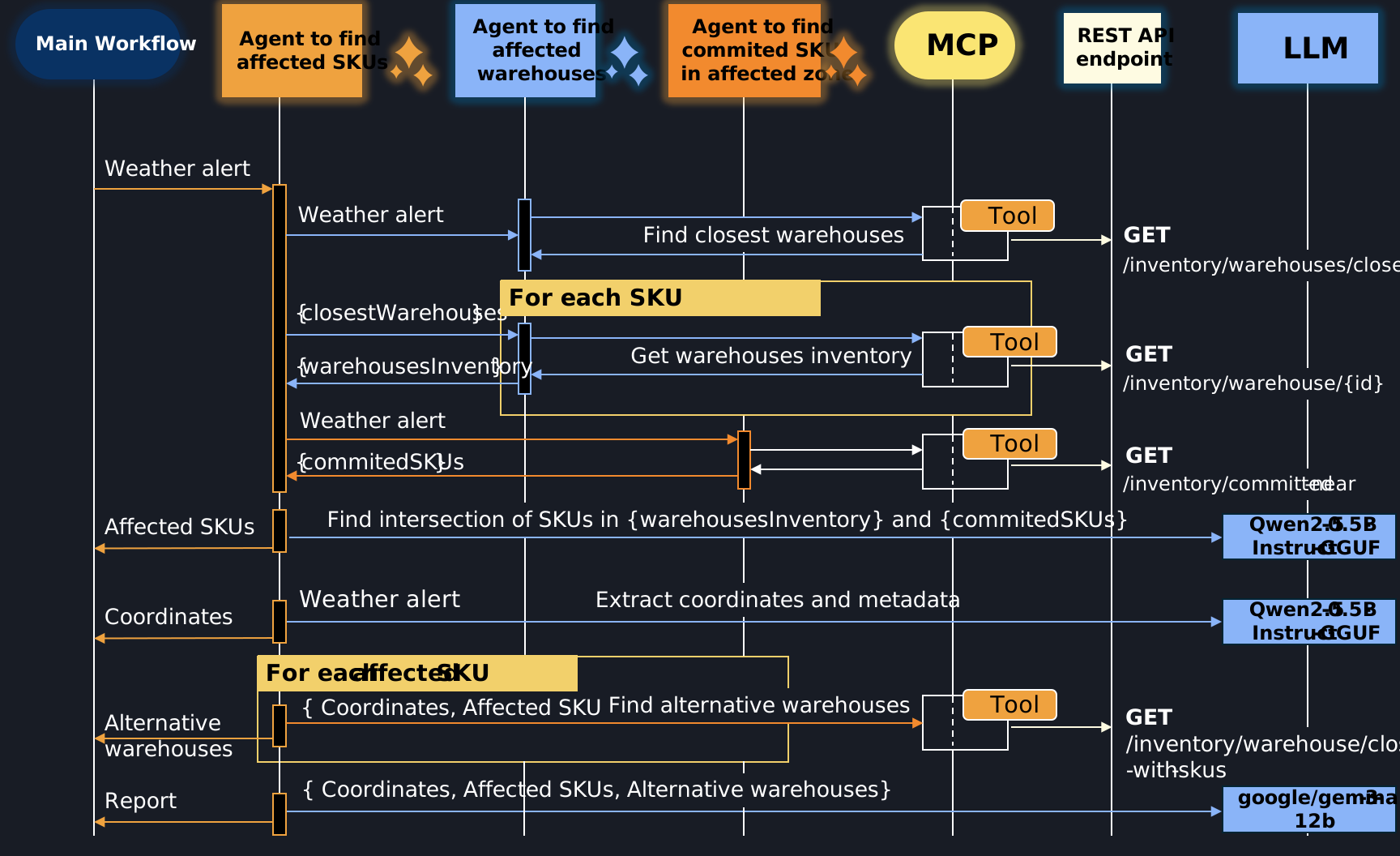
We have three sub-agents that are being orchestrated by the main workflow:
- Agent to find all affected SKUs given the weather alert
- Agent to identify all affected warehouses that are geographically close to the weather alert location
- Agent to identify all committed SKUs within the affected zone (in a radius of 250km from the weather alert location)
We have REST API endpoints that allow us to query telemetry data from our warehouse network:
- For querying the closest warehouses to the weather alert location
- For getting a list of SKUs in a given warehouse
- For retrieving a list of committed but not-yet-dispatched SKUs within the affected zone
- For finding the closest warehouses that have a given SKU available
We have MCP tools that call those REST APIs and are, in turn, called by the agents.
Finally, we have local LLMs like qwen2.5-0.5B-Instruct and google/gemma-3-12b that help automate small tasks, such as:
- Extracting coordinates from the weather alert. We delegate this task to a local LLM to ensure robustness against schema changes.
- Finding intersections of lists.
- Generating the report that can be used for automated SKU dispatching.
Observations on Sub-agents
There are some important aspects of multi-agent workflows I find worth mentioning here:
Sub-agents should be loosely coupled
As a consequence of this rule, they should be pluggable into any other workflow or used independently. In Dify, this can be done by publishing a workflow as a tool.
One agent should be best at one task and one task only
This rule is specifically relevant if you use small local LLMs that are known to hallucinate; while technology is rapidly advancing, as of April 2026, I still find this rule useful.
It's nice if a powerful LLM judges the output of a less powerful agent
This rule is specifically relevant for more complex and higher-stakes workflows. I haven't used this rule in my example.
Sub-agent: Affected SKU Finder
Here is the screenshot of the sub-agent workflow from Dify:
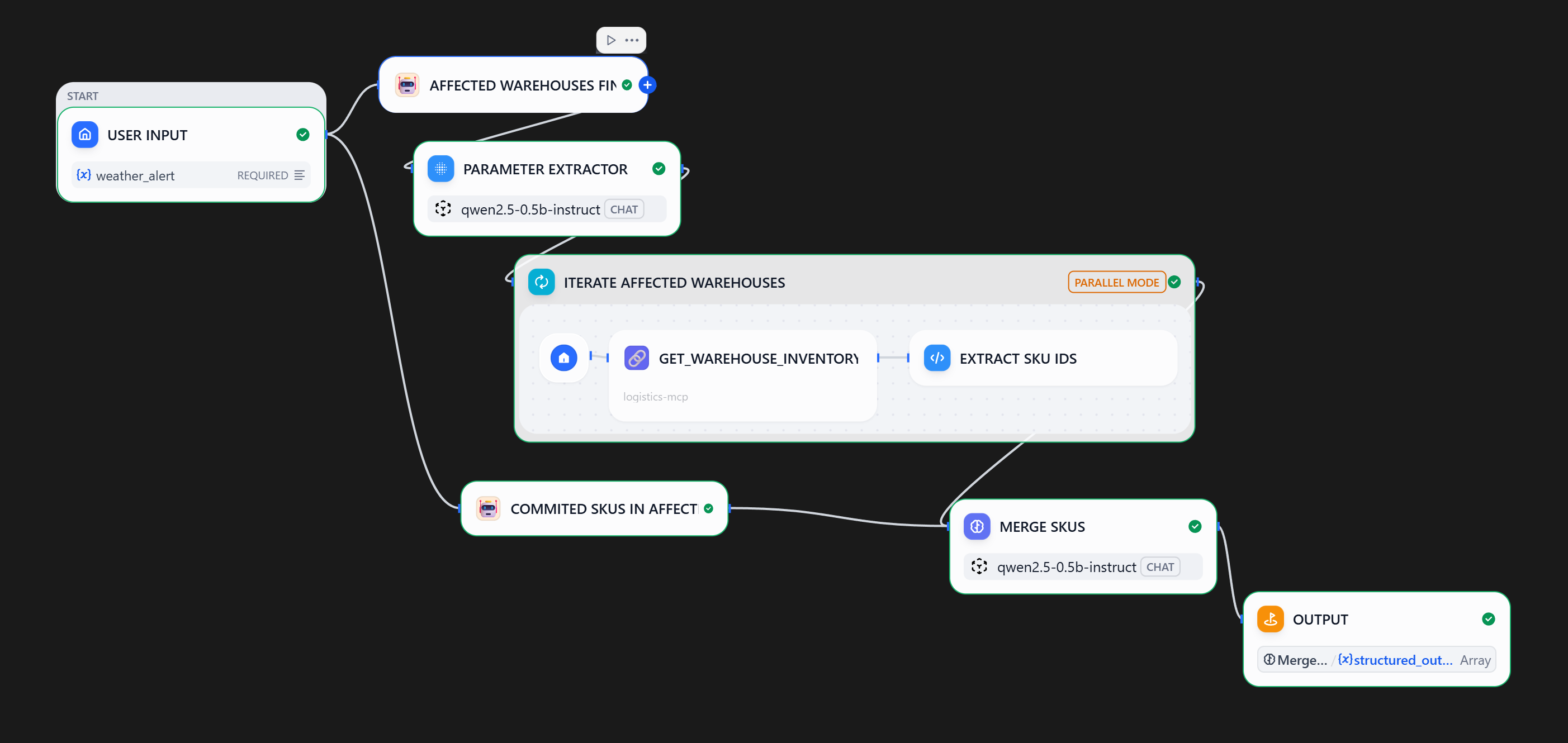
Steps:
- Upon receiving a weather alert, the workflow calls the "Affected Warehouse Finder" sub-agent
- A local
qwen2.5-0.5bmodel is used to extract warehouse IDs from the sub-agent output - Each extracted warehouse ID is used to query the inventory system
- In parallel, an agent finds all committed SKUs in the affected zone
- Overlapping SKUs are identified and returned to the main workflow
Sub-agents: Affected Warehouse and Committed SKUs Finders
Both of these agents have a simple linear workflow, where an MCP tool is called and a local qwen2.5-0.5b model extracts relevant data.


Report Generator
I am using a more performant google/gemma-3-12b LLM to consolidate data and generate a report. Example report (PDF).
System prompt for the LLM block:
Context: We are facing dispatch disruptions due to severe weather. I need a report to reassign committed SKUs from disabled warehouses to viable alternative locations.

Act as a Logistics Analyst. Generate a SKU Dispatch Optimization Report. For each SKU, identify the Planned Dispatch Location versus the Recommended Warehouse. For the recommended warehouse, include the travel distance.
The user prompt feeds the data collected from sub-agents into the LLM.
Results