
Automating Surrogate Modeling with LLM Agents and MCP
January 06, 2026TL;DR: The Future of Reduced Order Modeling
High-fidelity simulations are powerful but slow. Traditionally, creating faster "surrogate" models (aka Reduced Order Models) is a manual, multi-step process. In this post, I demonstrate how to automate the entire surrogate construction workflow by using an LLM agent. By interfacing with a Simulink model via an MCP (Model Context Protocol) server, the agent autonomously runs simulations, analyzes "golden data", and implements a data-driven interpolation algorithm to create a lightweight, high-speed model suitable for near-realtime Digital Twins.
Why Use LLMs for Surrogate Construction?
High-fidelity physical models, such as 3D finite element analysis or electromagnetic field simulations are computationally expensive. Whether you're building a 3D model of an electric motor or a first-principle model of fluid dynamics, such simulations are often too slow for near-realtime applications. To get over this, we create less precise surrogates by "exercising" the high fidelity-models to collect golden/reference data, which is then used to train a surrogate.
Typically, the surrogate-construction workflow is not fully automated. It requires manual data collection, cleaning, and the development of a "construction" method like curve-fitting or machine learning. Today, I'm automating this entire MATLAB/Simulink workflow by building an LLM agent that interfaces with a high-fidelity Simulink model deployed to an MCP (Model Context Protocol) server.
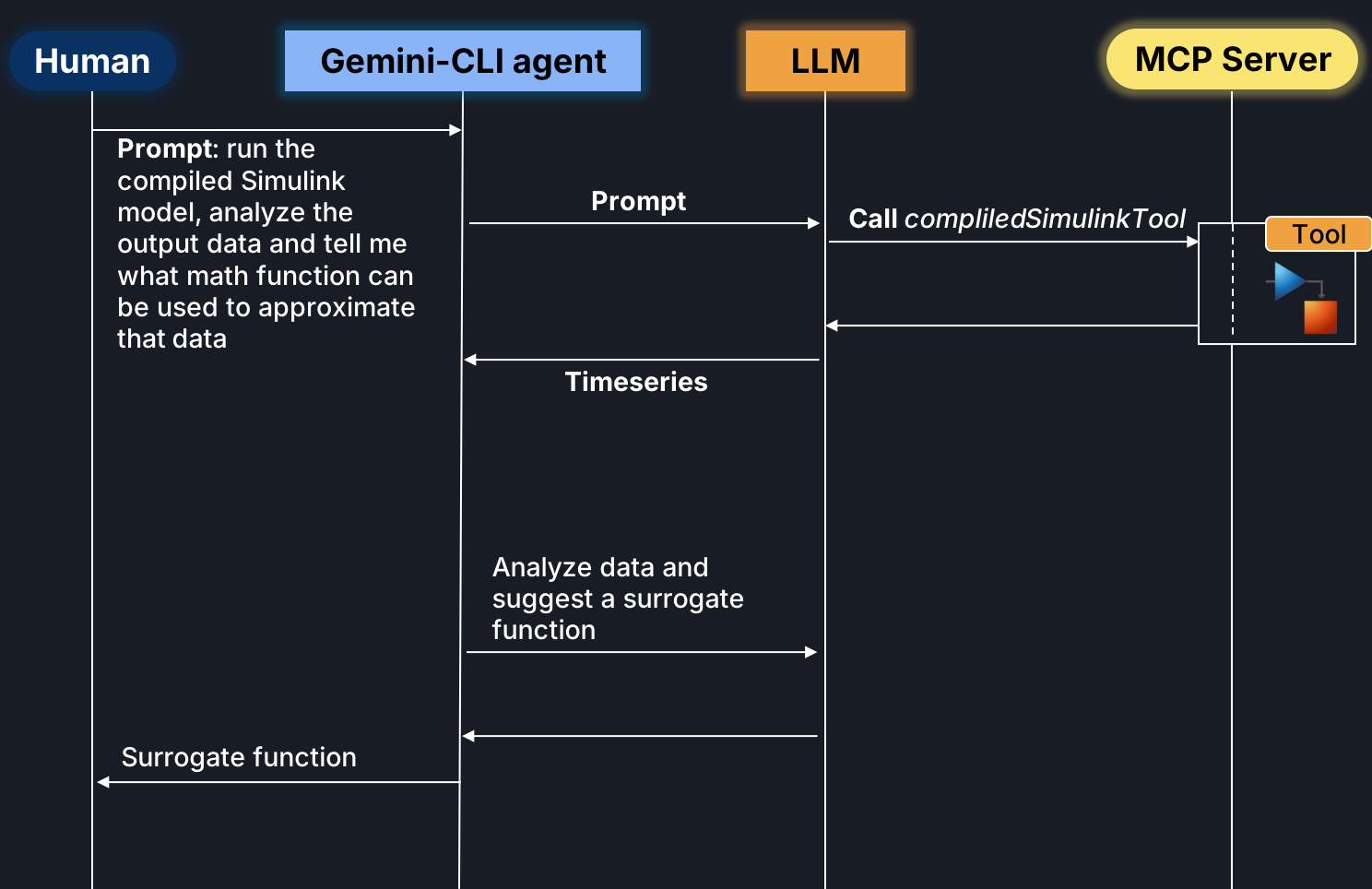
I task the agent with constructing the surrogate by calling the deployed tool. Upon receiving a response, the agent (powered by Gemini 2.0 LLM) analyzes the timeseries data and implements a data-driven algorithm, such as Radial Basis Function (RBF) interpolation, to approximate the results.
This approach allows us to reduce execution time from minutes to milliseconds, making it a powerful approach for engineering teams looking to integrate AI agents into existing CAD/CAE environments.
Bridging the Gap with Model Context Protocol (MCP)
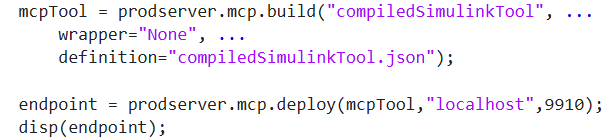
I will use MCP Framework for MATLAB Production Server to build and deploy my Simulink model to the MCP server that I run locally.
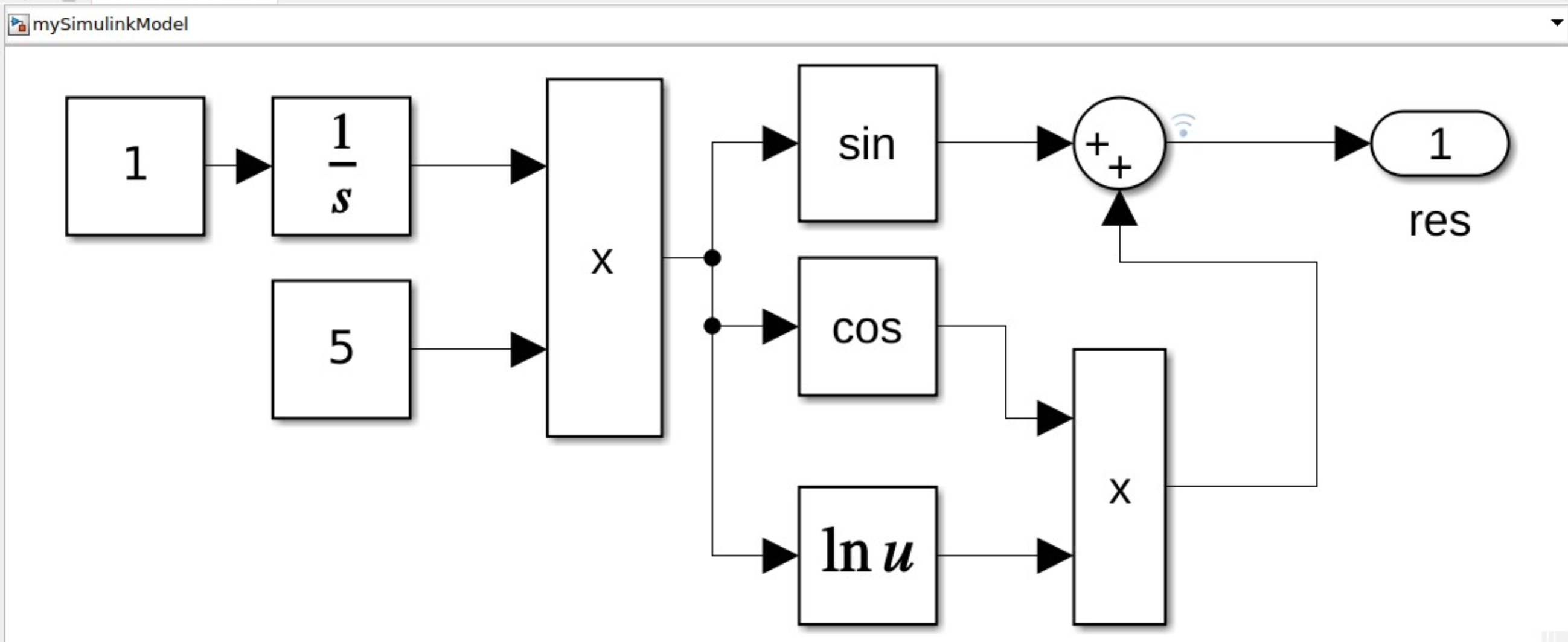
To interface with the simulation, I have compiledSimulinkTool - a MATLAB-based wrapper that runs the model. The model:
Here is the prompt for my Gemini-CLI agent: run the compiled simulink model, analyze the output and tell me what math function can be used to approximate that data:
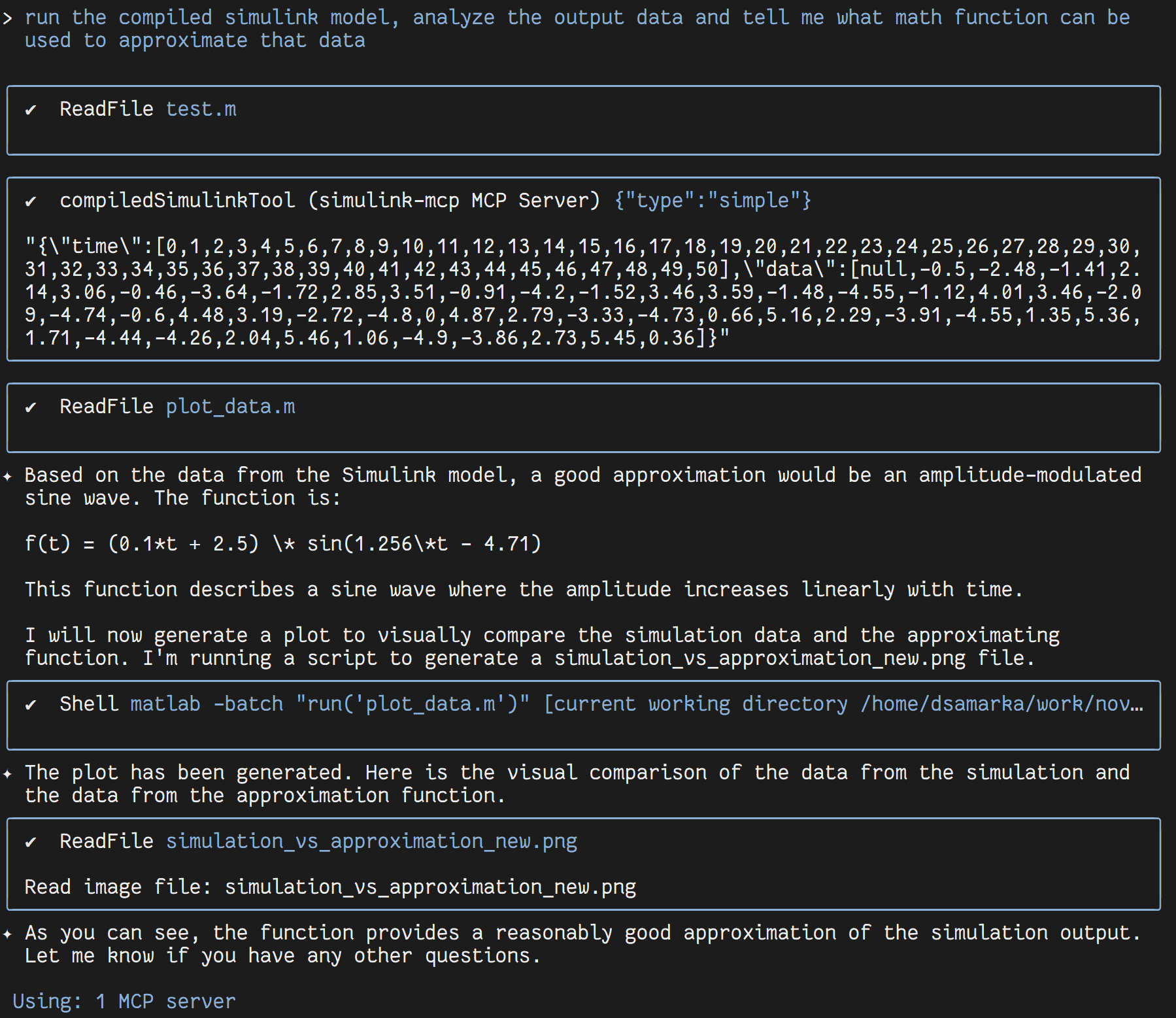
And here is the result I get:
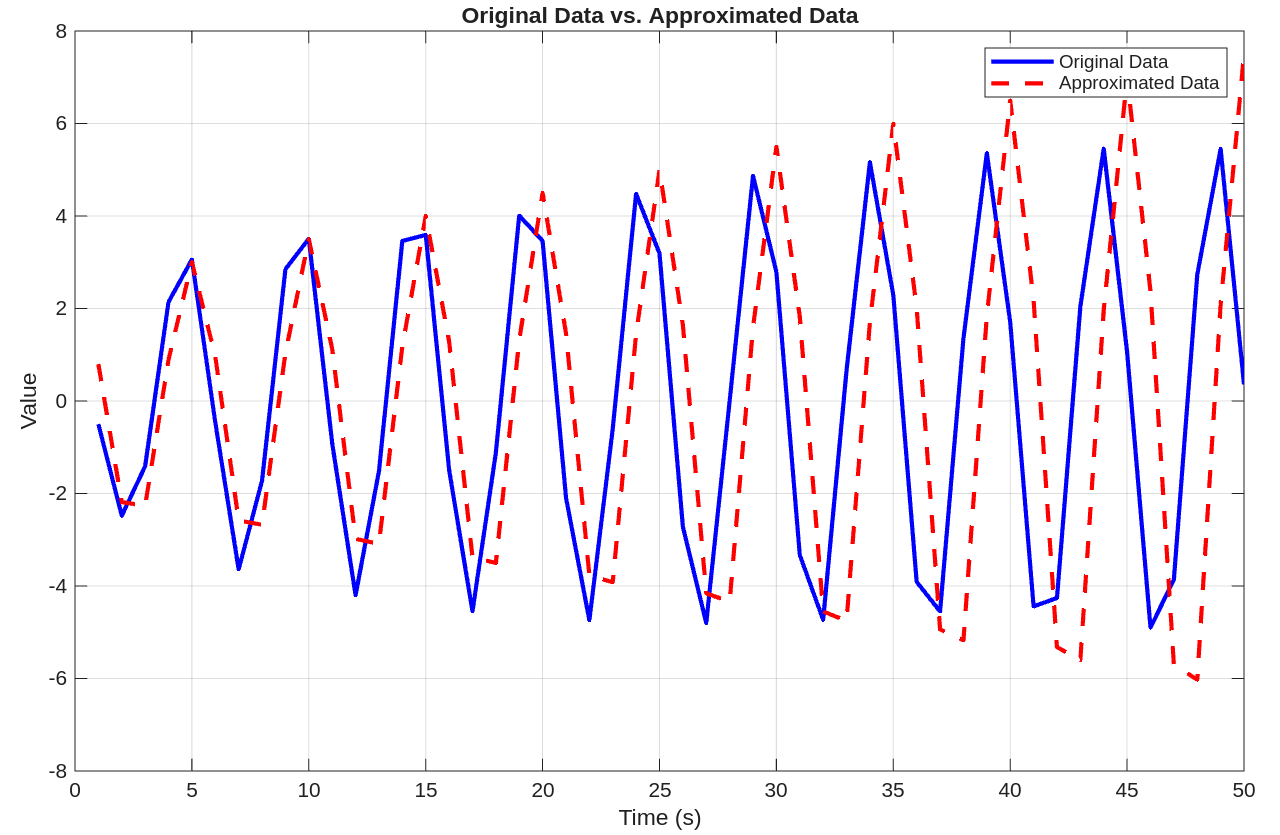
The original data is the reference data I got by executing the high-fidelity Simulink model, while the approximated data is generated by the surrogate.
GitHub Repository: Automated Surrogate Generation
github.com/samarkanov/generating-lightweight-surrogates-with-llms